How do I pay my invoice online?
Watch our how-to video
How Do I Pay My Invoice Online?
Bidders can pay auction invoices online! These payments will go directly to the seller managing the auction through the payment gateway.
Important: Bidders are still expected to pick up their items during the scheduled removal dates. Paying your invoice online does not guarantee alternate pickup options or that an item can be shipped.
This quick tutorial will explain the online payment process:
-
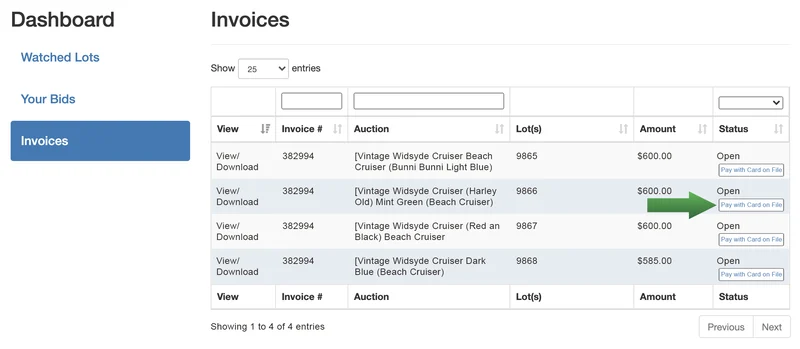
After the auction has closed, winning bidders will see the ability to initiate a payment
from the "Invoices" section of the bidder dashboard. Click on the "Pay with Card on
File" button to initiate the payment process.
-
Upon clicking the button to initiate a payment, the bidder will be taken to a checkout page
to view their invoice and the total amount due. Take note there may be special text in a
yellow box! This information/instructions are specific to this seller and/or the auction.
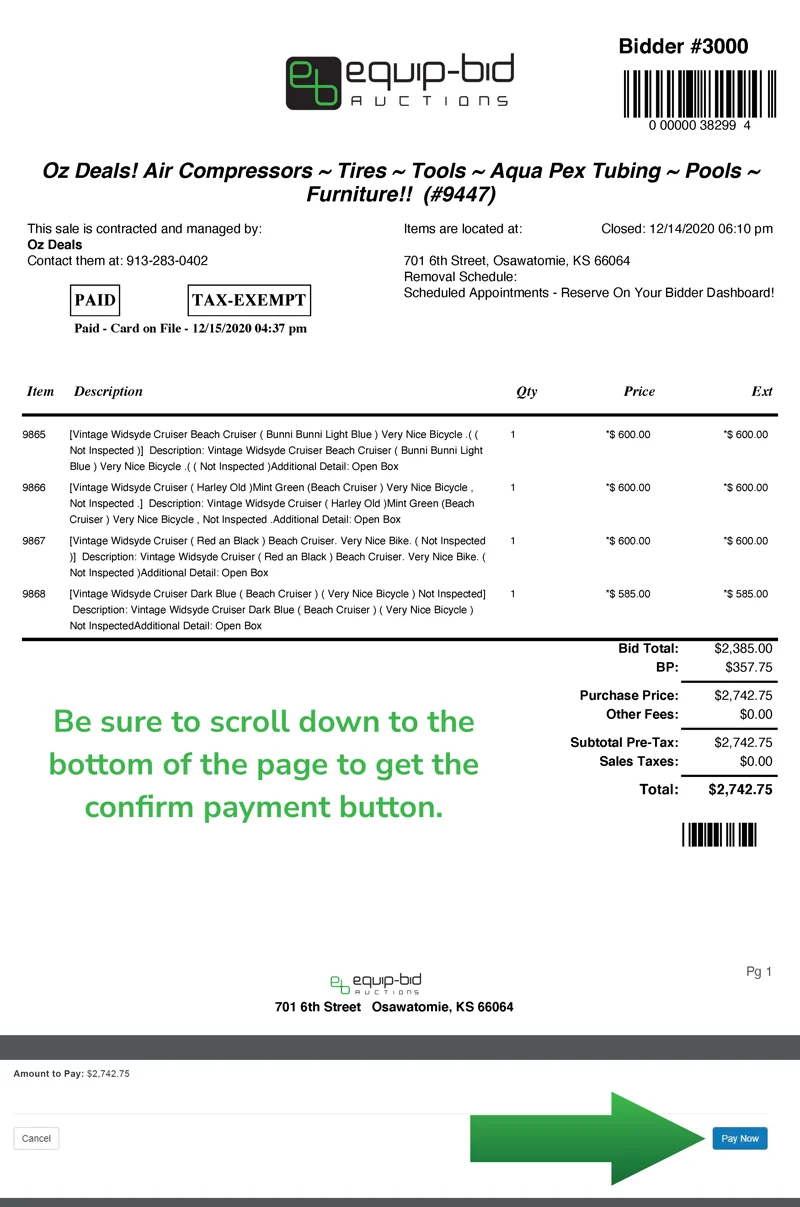
- If the payment button reads "Pay with Card on File", the invoice will be paid with the credit card that the bidder used to register with Equip-Bid.
Once your card on file has been validated/updated, the process will be:
- Click "Pay with Card on File" on the invoice.
- Verify the invoice amount and click "Pay Now" on the checkout screen.
- Your card on file will be charged and you will see a payment confirmation on your dashboard.
What if I want to use a different card?
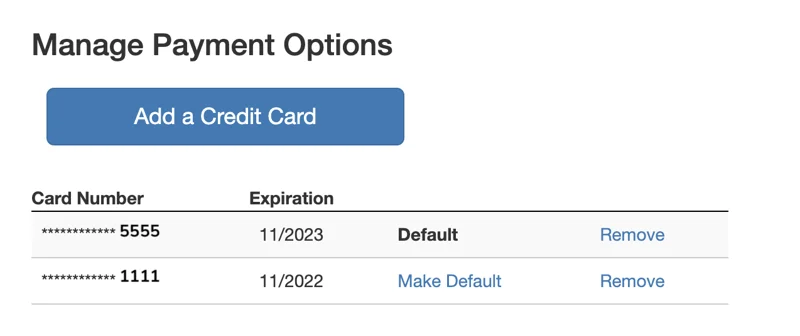
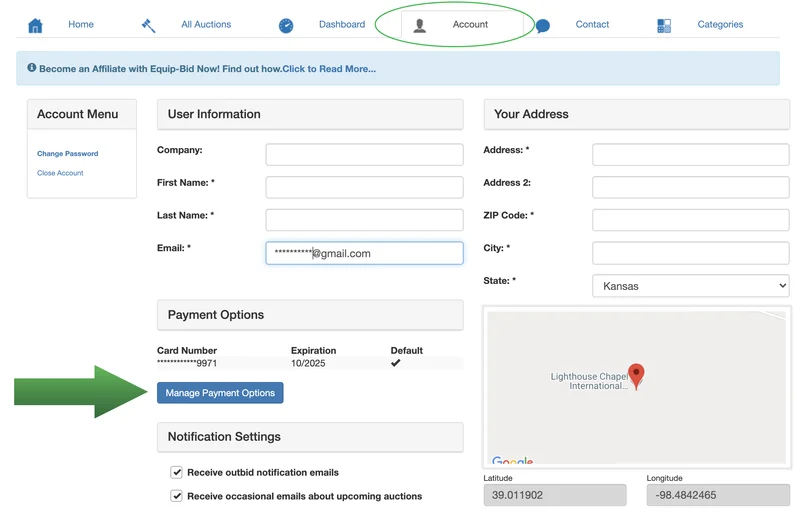
If you want to pay a "Pay with Card on File" invoice with a different card than the one currently stored, you will need to go to your "Account" tab and click on "Manage Payment Options" in the "Payment Options" section.
Click "Add a Credit Card" and fill in the requested information. Once saved, your added cards will appear in your profile. Select which card you would like to use as your default card by selecting "Make Default."